 Pond
Pond
Coding agents you can see.
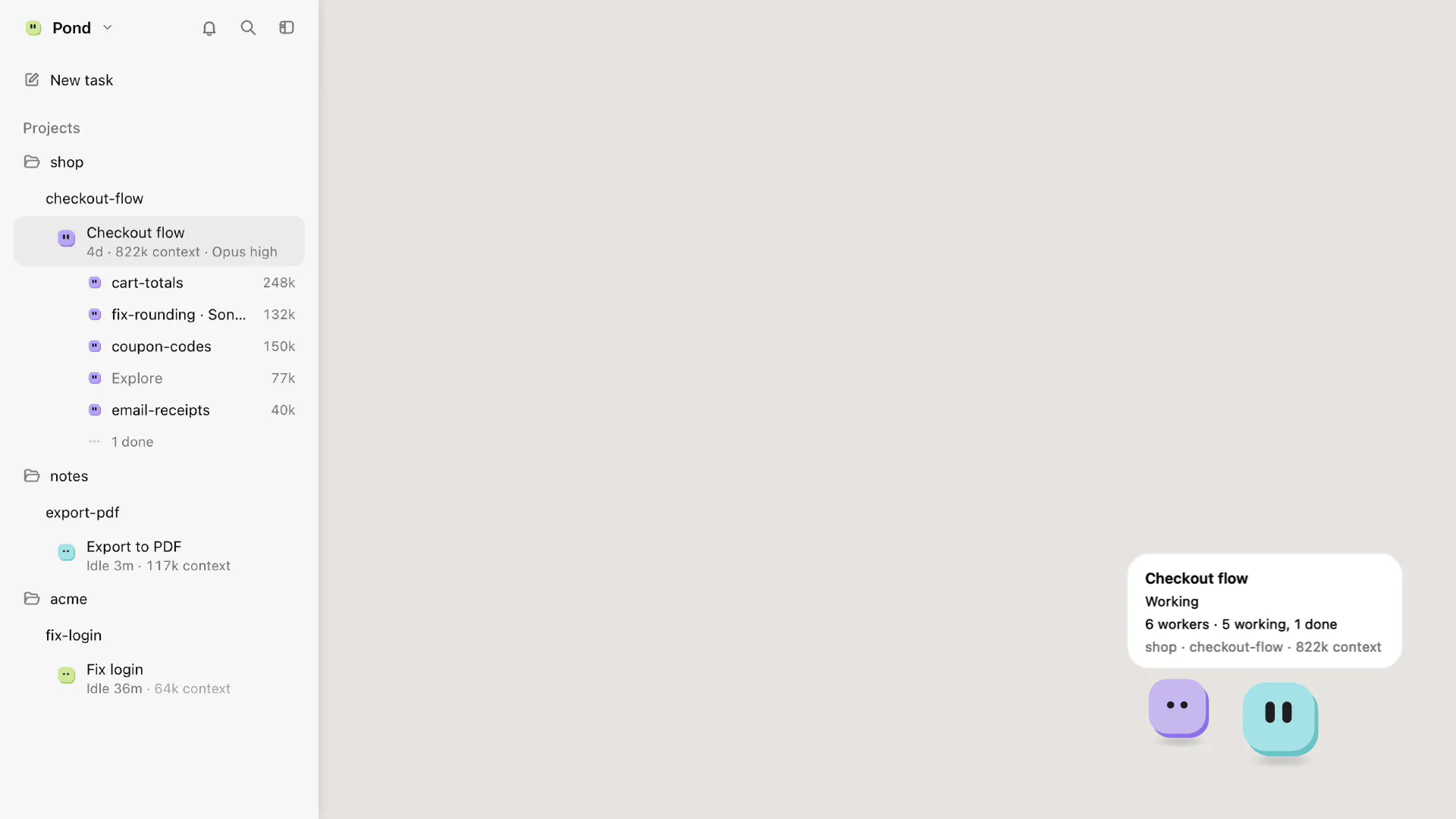
Pond is a Mac app that runs Claude Code in its own terminals and git worktrees, and shows each agent on your desktop as a small blob that tells you what it is doing.
Closed beta. For Macs with Apple silicon and macOS 14 or later.
How it works
-
Start a task
Press Cmd-N, or run
pond new "fix the login bug"in a repo. Pond makes a worktree on a new branch and starts Claude Code there with your task. -
Watch the blobs
Each agent's face shows its state. When one waits for you, it hops and gets an orange dot.
-
Answer and review
Answer from the agent's card or its terminal. Read the diff, write notes on lines, and send them back.
-
Merge when it's ready
Ready means committed, tests passed on that commit, and no conflicts. You decide when to merge or open a draft PR.
See who needs you without opening a window
Every agent is a blob on your desktop, and its face shows whether it is working, done or waiting. A blob that waits on a permission prompt or a question hops and gets an orange dot. Ctrl-Option-K, from any app, takes you to the agent that has waited longest.
With the sidebar open, a simple prompt shows as a card under the agent's row, with Allow and Deny. For a file edit, or anything else the card can't show in full, you answer in the terminal.
Terminals side by side, with the diff next to them
Click a blob and its terminal opens in the middle of the screen. Up to four sit side by side. Closing a tile never stops the agent, because the terminals live in a small helper that keeps running even when Pond quits.
Click a changed file and its diff opens next to the agent's terminal. Click a line to write a note. Send notes pastes them into the agent's input, and you press Return.
Merging stays your call
A branch is Ready when it is committed, its tests passed on that exact commit, and it has no conflict with the default branch. Pond reads the test results from the agent's own terminal output, and tells you when two worktrees change the same file.
Then you merge it, or push it and open a draft pull request with your own gh login. Pond never merges
or pushes by itself.

A browser next to the terminal, and other apps if you allow them
When an agent's dev server prints a local address, the page can open in a tile beside its terminal. Point at an element and say what should change. The agent gets your words, the element's selector and a screenshot of it. It can drive the page only on that worktree's own local addresses; anything else asks you first.
Computer use, off until you turn it on
An agent can use Mac apps you pick, for example to test an app it built. Before it clicks a button such as Send, Buy, Pay or Delete, Pond shows you a crop of the target and waits for your click. Esc stops every agent that is driving.
Pond itself never gets Accessibility or Screen Recording. A separate helper holds them, and it runs only while an agent drives.

Runs on your Mac
What stays private
Your code, terminal text, prompts and the names of your projects and branches stay on your Mac, and there is no account. Crash reports (on by default) and anonymous usage counts (off by default) go to servers in the EU, scrubbed first, and both switch off in Settings.
Pond doesn't press Return for you, and an agent can't answer its own permission prompts.
Coming from Orca
On first launch Pond offers to bring your Orca projects, with their worktrees, so branches already in progress show up with their changes and tests. It only reads Orca's list, and both apps can stay installed.
Pond runs Claude Code. Other agent CLIs aren't supported yet.
ComingFriends: a small group sees roughly what each other's agents are doing and hands each other tasks, while every agent stays on its owner's Mac. It is built, and stays off until it has been tried between real Macs.
Pond is in a closed beta
A few people are trying it now. If you run coding agents on a Mac and want to join them, write to us and say a little about how you work.
You need a Mac with Apple silicon, macOS 14 or later, Claude Code installed and signed in, and Git. Beta builds aren't notarized yet, so macOS warns the first time you open one; the beta notes explain the way past it.